
Eustace Photography
YouTubeHere, you'll find in-depth tutorials and tips on Photoshop techniques like frequency separation, skin retouching, color grading and dodge and burn. You'll also learn AI photo editing and how to create beautiful portraits. Learn indoor (studio) and outdoor (on-location) photography, including studio lighting setups, High Speed Sync (HSS), speedlights and strobes. Whether you're a beginner or an experienced photographer, I'll help you improve your editing and photography with practical tutorials you can follow. SUBSCRIBE NOW! Your next masterpiece is just one tutorial away!
Upgrade to Scout Pro to unlock verified contact email, and more premium data
 Upgrade to
 Overview
- Subscribers
- 76.3KTop 51%
- Avg views
- 3.4KTop 75%
- Median views
- 1KTop 91%
- View-through
- 3%Top 78%
- Engagement rate
- 4.3%Top 43%
- Past sponsors
- 2+KumooKumoo Ai
- Last published
- 4mo ago
- Est. Rate $
- $150-230by Scout
- Audience Score
- 23by Scout
- Sponsor Score
- 14by Scout
Videos
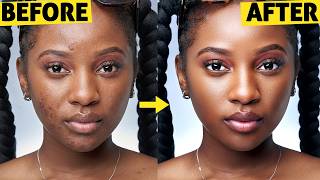
- Kumoo11:15How to Retouch Skin Using AI (Photoshop Style Results)1K views · 4mo ago
- Amazon8:45How to Clean And Add Snoot Effects to Backdrops in Photoshop652 views · 6mo ago
- Amazon7:11Skin Retouching That Looks REAL! The Best Frequency Separation Method2.8K views · 7mo ago
- Lightroom12:00This AI Editing Tool Edits All Your Photos at Once4.4K views · 9mo ago





Past Sponsors
Click a sponsor for its videos · Purple = dedicated video · Orange = integrated read
Rate Estimates
by ScoutEstimated from audience performance, not published by Eustace Photography. A creator who claims this profile replaces them with their real rate card.
Contact Info
Similar creators
Claim Profile
Is this your channel?
Claim your profile to replace these estimates with your real rate card, add audience demographics, and get a verified badge when brands search for creators like you.
Sponsorships observed in Babbl’s corpus of paid YouTube placements. Counts are a lower bound. Data as of 2026-09-18.